
Chapter 2 · 2.10
Ordering something extra when you're already a customer
Are you already a customer and want to order something extra, such as an additional domain or a second package? That works almost the same as your first order. The only difference: you're logged in, so we already know your details.
From My WebOké
- Click + Order product (1) under My Products to choose a package.
- Click + Register or transfer under My Domains to search for or transfer a domain.


You'll then land on the website. There you search for your domain or choose your package as described in Finding and choosing a domain name and Choosing a hosting plan (web hosting, email plan, Nextcloud, AI Builder).
Linking an extra domain to your package
In the Set up your domains window, choose under Link to (1) whether the domain belongs to a package. Under Registrant of this domain (2), choose yourself or one of your own contacts as the owner. See Setting up your domain: nameservers, linking to your package and the owner.
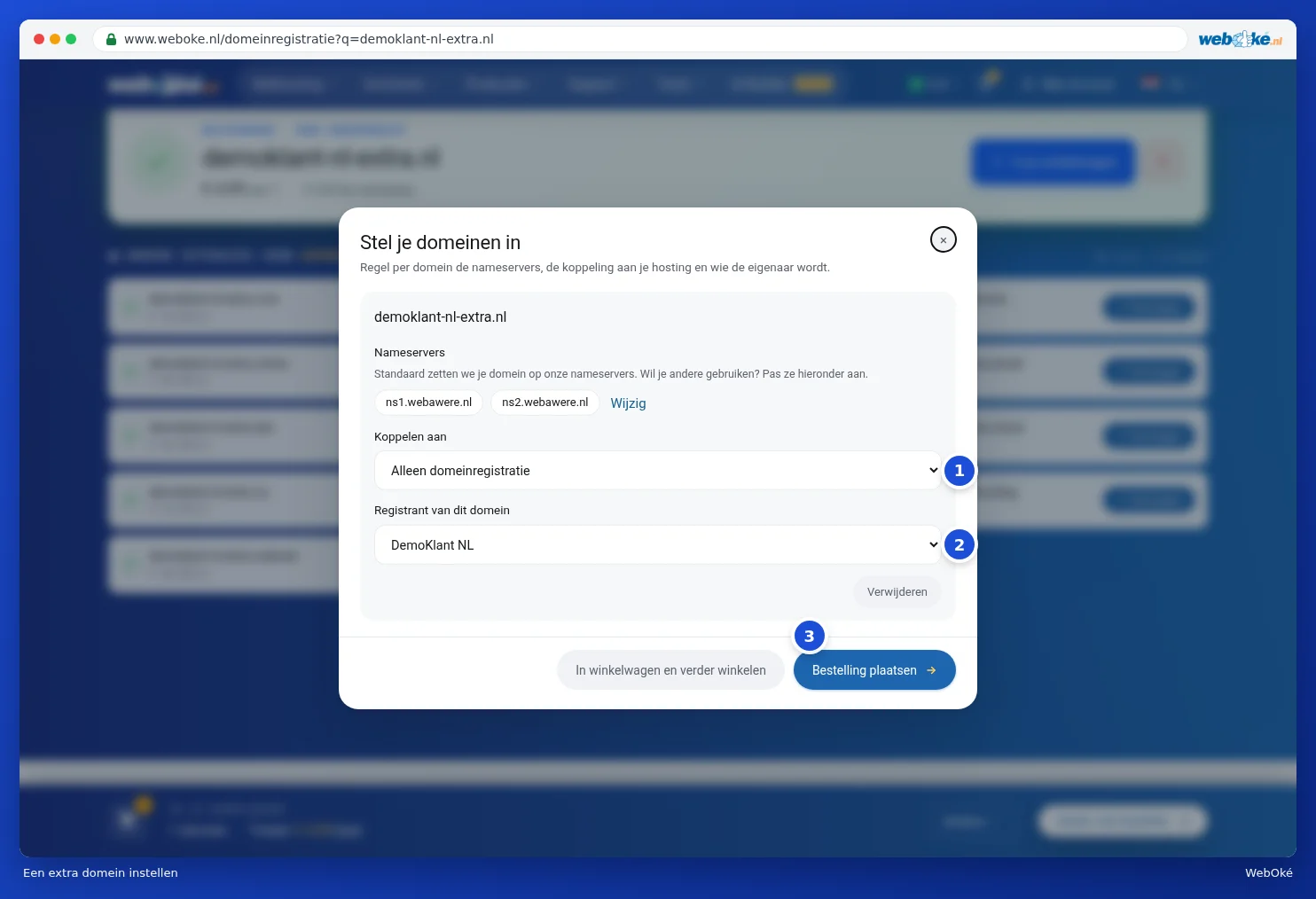
Tip: is the domain already in your account and do you want to link it to a different package? Then you don't need to order anything. Use Move under My Domains, see Domains per package and moving a domain.
Your details are already filled in
In the Details step, you'll see that you're logged in. Your details are already filled in. Want to change something for this order anyway? Click Edit details.
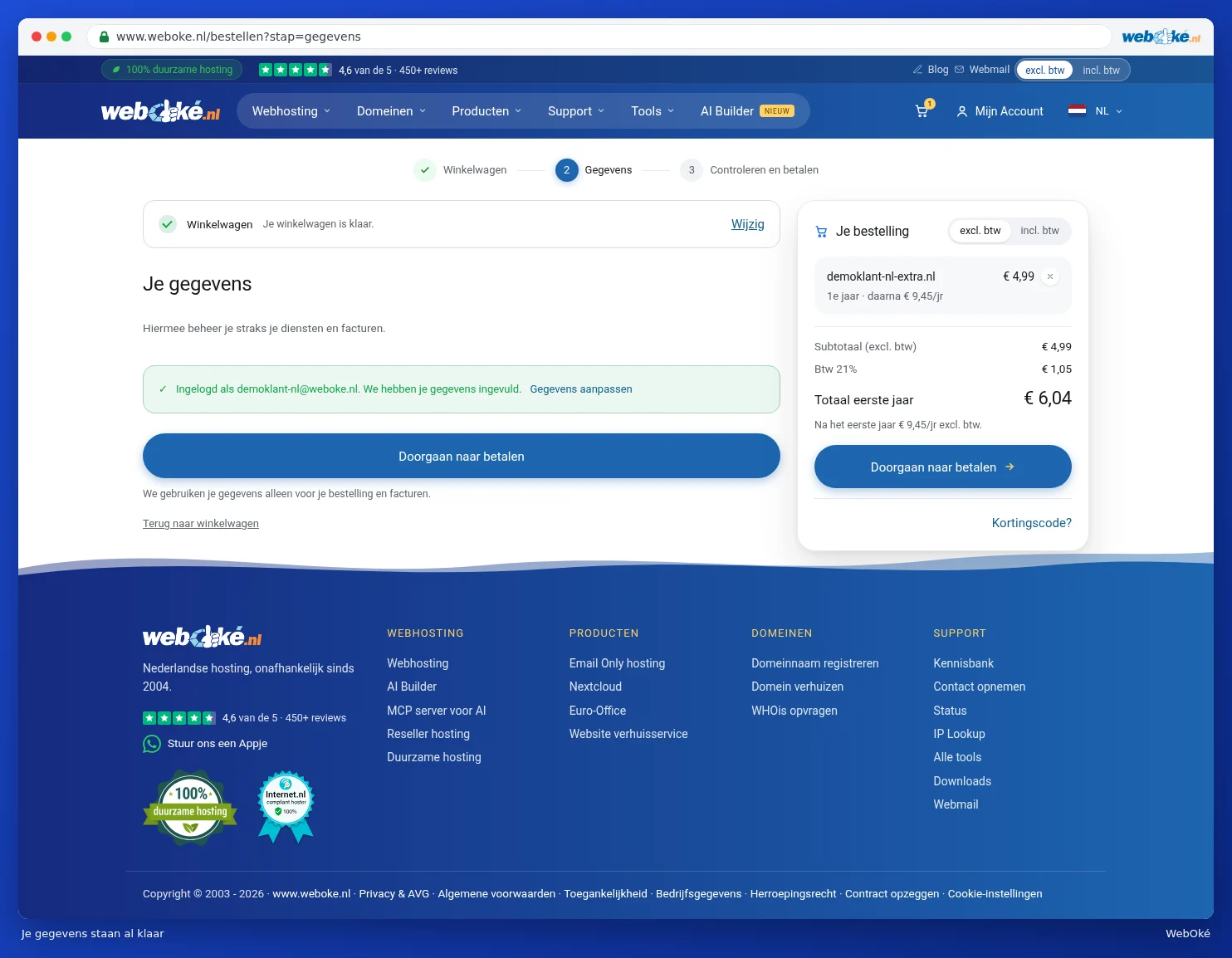
After that, you check your order and give your approval, as described in Review, confirm and check out. Because you're logged in, you don't need to verify that you're not a robot. On the payment screen, you can also pay using your credit balance, or set up direct debit for future payments in one go. See Paying: payment methods, bank transfer and credit balance.
Changing something on an existing package
Don't want a new product, but want to expand your current package instead? You don't do this through the shopping cart, but directly from your package in My WebOké:
- more storage space, see Expanding storage;
- a bigger or smaller package, see Changing your package (upgrade or downgrade);
- extra options or IP addresses, see Changing options and extra IP addresses.